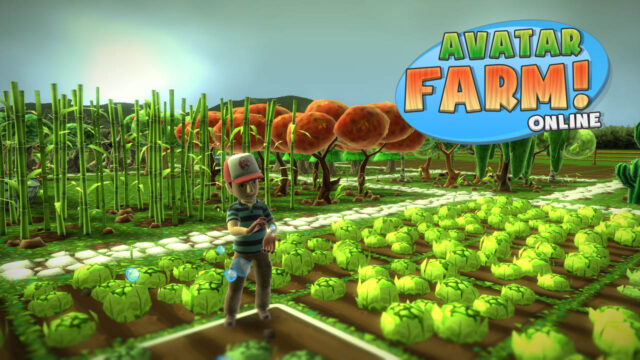

Some people have asked how to export their Avatar Farm 1 data to the new Avatar Farm Online. We understand it can be a bit bothersome, so we’re making a small post explaining it.
- First of all, you have to make sure you have the latest Avatar Farm 1 version: If you can see a QR code on the left part of the main menu, you have it.
- Now, there are two new buttons in the main menu. The first one is “Export Farm”. Use this one and you will get a 24 letters code. Write it down.
- This code contains the farm data (Experience and total farm worth in coins and cash) you will be able to import into Avatar Farm Online.
- Now, enter the Bonus Content section. You will get another code of 18 letters. Write it down too.
- This code is an unlock code to unlock some decoration items in Avatar Farm Online.
- Now, exit Avatar Farm and start Avatar Farm Online
- Go to “My Farms”, and select “Import Farm”. When asked, enter the first code you got (the long one).
- If the code is correct, you’ll be asked the name of the new farm, and a new farm will be created, with the experience, cash and coins you had in Avatar Farm 1 (including value of everything that was planted or built).
- Now, to unlock the bonus content, go back to the main menu and choose “Bonus Content”
- Now press A and enter the second code (the short one) when asked.
- Now you should have unlocked the Exclusive Avatar Farm sign decoration!
We hope this helps you better understand the export process. If you have any doubt, please ask.
Tags: Avatar Farm!
Avatar Farm Online, the first 100% colaborative Farming Simulator on Xbox, is available now!
Probably one of the biggest games in the Xbox Indies Marketplace, Avatar Farm Online brings true collaborative gameplay to the farming genre!
This game is the result of applying the feedback for the original game, with more than 75.000 users, adding most requested features and more, resulting in the perfect farming simulator!
The most important features of this game are:
- Place Plants, Trees, Buildings, Tools and Decoration and improve your farm!
- Time advances even if you’re not playing (can be disabled): Plant your crops, go play another games, and come back later when they’re ready to be harvested!
- Earn experience points and unlock new items for your farm!
- You can visit other people’s farm and help them, up to 16 players can cooperate to get the perfect farm!
- Increase your farm size, up to 4 times the surface available on the original game!
- Purchase Animals and feed them!
- Totally remade graphics, with better visuals!
- Reworked UI, way easier to understand and play!
- Improved shop, with a better layout and detailed information on the items.
- Unlockable themed decoration items of other Milkstone Studios games!
- Doubled the amount of great musical themes!
- You can import your existing Avatar Farm data, so you won’t need to start from scratch (although recommended).
- And many, many more little improvements that will make the player experience even better and more relaxing!
All this, for just $1 for a limited time! Download the game now on the Xbox marketplace: http://marketplace.xbox.com/games/media/66acd000-77fe-1000-9115-d80258550c37
Tags: Avatar Farm!
This update addresses the issue introduced in the 1.6 update, that caused save game corruption when deleting buildings or tools.
You should be notified the next time you start the game.
Please, read this if you suffered the savegame corruption issue
This update should be able to recover your corrupted save game. To avoid losing your planted crops after some days without playing the game, there’s a little trick:
* Before resuming your game, go to settings and set simulation speed to 0.
* Resume your game. Time won’t advance since last time you saved your game (before the corruption), so no crops should be dead.
* Exit the game and set simulation speed back to 100 (or the value you feel most comfortable with).
Tags: Avatar Farm!
We’ve been reported an issue that might happen when you sell a building, decoration or tool with a size greater than 1 cell: Wrong cells are sold, and the data remains corrupted after that.
We’re working right now to pinpoint and fix the issue, but the patch might take some time until it’s approved. Meanwhile, all we can tell you is to avoid selling any building.
We guarantee that we will be able to recover the corrupted data, so just be patient and don’t delete your data.
Our apologies.
UPDATE: The issue has been fixed, we’ll submit the update this Thursday (we aren’t allowed to do it before that date). It can take a while until it’s approved, so please be patient.
UPDATE 2: The update has been submitted for approval.
Tags: Avatar Farm!
We have submitted Avatar Farm 1.6 for approval. It features the following changes:
- Menu music plays correctly when starting the game.
- Added Invert Y axis option in game settings.
- Increased high score charts window size, and reduced text size, now it can be read properly.
- Added a semitransparent preview when placing buildings, decorations and tools.
- Buildings, decoration and tools can now be rotated when placed. The rotation depends on the direction your avatar is facing.
It should be available for download by this weekend or next week.
Tags: Avatar Farm!
The 1.5 update for Avatar Farm got approved last week, but we we’ve been too busy to post it until now.
This update features the following changes:
- Updated to the latest engine version, which should bring more performance and stability to the game.
- Now you can run if you press the right trigger
- When you can’t perform an action (such as trying to plant something too expensive), the reason is shown on screen.
- The simulation speed when the game is not running can be reduced, or even disabled, on the settings.
- Improved savegame autobackup system (2 backups are stored instead of 1).
- The item currently being planted/placed is shown on the top left corner.
This should get rid, or at least dramatically reduce, the freeze issues many people were experiencing. Note: The engine update has a minor side effect: Due to a change in the game data saving system, Game settings and highscores saved on previous versions are ignored (No effect on actual saved games, don’t panic!). This means you will have to set again Music/Sound volume settings, etc. As for the highscores, they will be reshared once you start playing, so there should be no problem at all.
We have some more ideas for the next update, if the game keeps selling at a steady pace. Until then, have fun!
Tags: Avatar Farm!
The third patch for Avatar Farm has been approved and is ready for download. You should be notified next time you start the game.
It features the following changes:
- Added some debugging info to P2P score sharing, to help detect and solve the freeze issue (it may be already fixed though)
- Fixed friend filtering on the high score list.
- Increased the initial coins-cash to 500 and 5.
- Increased a bit icon view distance.
- Fixed crash when opening the shop in certain circumstances.
- Added an automatic backup/restore feature to avoid data loss in case of freeze/crash.
- Increased the enhanced water truck capacity to 1,000 units. Now the fuel for this vehicle is payed with cash.
- Added a new vehicle (in two flavors): The Tree harvester.
- Fixed some plant categories. Now the plant/tree category is shown in the shop details (so you can know which items can be sold in each building).
- Increased daily reward to 500 coins and 1 cash.
- Increased level up money reward a bit.
Tags: Avatar Farm!
Finally, 1 week after we submitted the second update, it’s available for download. Remember the changes:
- (Maybe for sure this time)Fixed P2P Freeze during score sharing.
- Added the concept of tools (tractor, seeder…) that improve farming speed.
- Added 5 new plants: Tomato, Potato, Corn, Sunflower, Rice
- Added 2 new decoration elements: Scarecrow, Clothes line
- Fixed USA Flag not visible
- Fixed flags not visible from one side
- Added animations to all flags.
- Increased level cap to 20.
- Now you are asked to sign in with an account before playing
- Added freeze and crash detection system to improve further bugfixing.
- Added a progress indicator to the season text.
- Improved scenery around the farm
Sadly, it seems the freeze bug hasn’t been fixed on this update as usual :(, and the freeze detector doesn’t seem to be working as expected, so we won’t be able to get more info on the issue (We experienced the freeze just one time, though).
Remember that if you experiment the freeze issue, you can disable P2P scores on the game settings and they will go away.
Tags: Avatar Farm!
We’ve put the Avatar Farm 1.2 update on peer review, here are the changes and improvements.
- (Maybe for sure this time)Fixed P2P Freeze during score sharing.
- Added the concept of tools (tractor, seeder…) that improve farming speed.
- Added 5 new plants: Tomato, Potato, Corn, Sunflower, Rice
- Added 2 new decoration elements: Scarecrow, Clothes line
- Fixed USA Flag not visible
- Fixed flags not visible from one side
- Added animations to all flags.
- Increased level cap to 20.
- Now you are asked to sign in with an account before playing
- Added freeze and crash detection system to improve further bugfixing.
- Added a progress indicator to the season text.
- Improved scenery around the farm
Tags: Avatar Farm!
As some of you already know, the 1.1 patch for Avatar Farm has been released. This is the detailed list of changes:
- Fixed some frequent background loading issues
- (Hopefuly) fixed frequent freezes due to P2P score sharing
- Added a setting to disable P2P Score sharing
- Increased view distance of the plant icons
- Increased player walk speed around 15%
- Reduced experience gained for fast-growing plants
- Increased experience required to level up
- Increased level cap to 18. Some plant requirements have been updated to fit in the new range.
- Fixed not being able to move up when you’re in the 2nd row, 1st column on the purchase screen.
- Increased the time it takes for a plant to die in 50%. Also added a minimum of 12 hours for a plant to die.
- A message is shown when you exit the game, showing the time you have until some plants start dying.
- Recycling gathered land no longer gives 5 coins.
- No autosave message is shown on trial mode.
- Increased autosave interval to 5 minutes (instead of 2 minutes).
- Reduced autosave duration by 25%.
- Fixed not being able to set sound/music volume to 70.
- Fixed Code 4 crash when trying to show more than 64 plant icons at the same time.
- Fixed Trees not growing fruits on the correct season when loading the game.
- Now trees won’t instantly grow fruits when purchased.
- Added 2 new camera modes: Isometric (not exactly, but almost) and a global view to admire your farm 🙂 (you can’t play in this camera mode)
- Fixed a minor camera rotation issue
- The active camera is saved
- Added new decoration elements: Country flags.
As the title says, sadly the freezing issues haven’t been fixed with the changes we did to the P2P score system.
But now there’s a way to disable P2P score sharing on the game settings, so you can get rid of the freeze just by disabling them.
Of course you won’t be able to mantain a syncrhonized scoreboard if you disable them, but you can always enable it for a while, wait for them to synchronize, and then disable again.
We’re still working on this and looking for the reason for these freezes, but, to tell the truth: Now we’re totally clueless. We’re out of ideas as of what can be happening now. So we can’t promise we’ll be able to fix it. But rest assured we’ll try our hardest.
Tags: Avatar Farm!